
2 posts tagged with "Monitoring"

View All Tags

· 8 min read
Hasan Gural

Hello Friends,

In Part 1 of this series, we covered how Azure Firewall autoscaling works by default, what prescaling is, how to configure it through the portal, PowerShell, and Bicep, and what the billing and limitations look like. In this second part, I want to go deeper on the operational side: how prescaling actually behaves under load, what the Observed Capacity Metric tells you and how to use it for planning and validation, and the real-world scenarios where prescaling genuinely makes the difference between smooth traffic ramps and avoidable performance degradation.

The goal here is practical. By the end of this article you should be able to look at your own Observed Capacity data, understand what it is telling you, identify the workload patterns where prescaling makes the biggest difference, and build a monitoring and alerting strategy around it.
· 9 min read
Hasan Gural

Hello Friends,

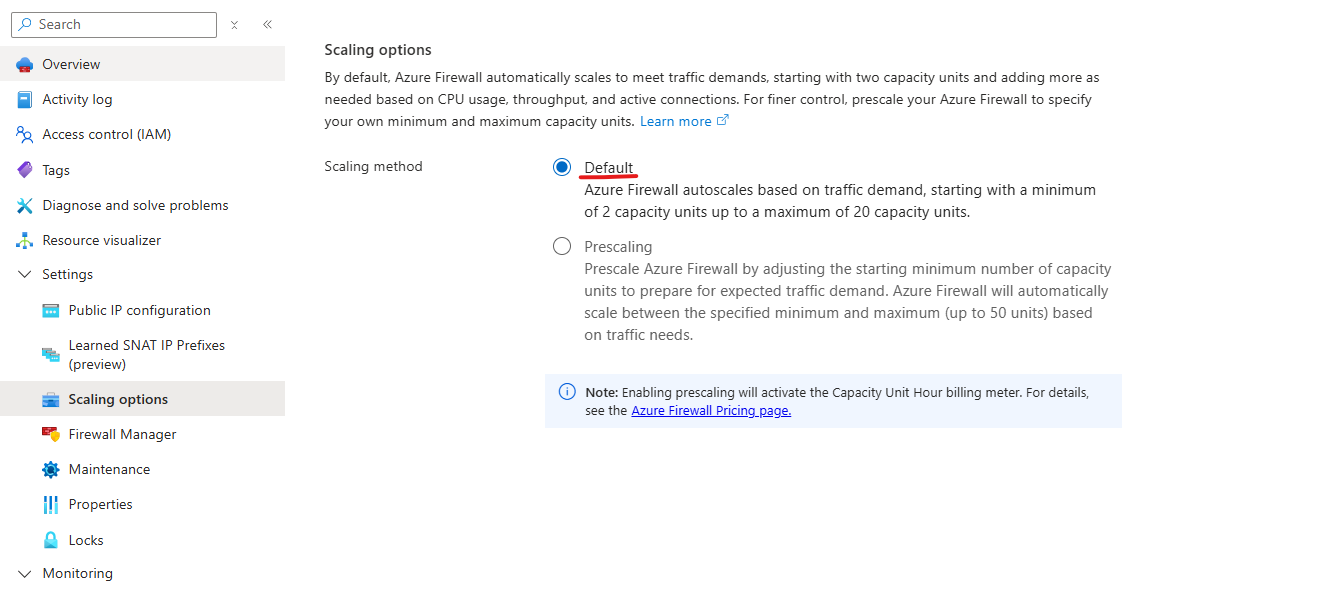
In this two-part series I want to talk about a feature that I think is genuinely underused in production Azure environments: Azure Firewall Prescaling. It is one of those things that becomes very obvious once you understand the mechanics behind it, and the good news is that it is not complicated to set up. The hard part is knowing when and why you need it.

In this first part, We will walk through how Azure Firewall autoscaling works by default, what prescaling is, how to configure it, and what the billing and limitations look like. In Part 2 we will go deeper on the Observed Capacity Metric, real-world scenarios where prescaling makes the biggest difference, and how to build a proactive monitoring and alerting strategy around it.

Az Prescaling